The STR (Short-Term Rental) Regulations Database helps you understand local rules and regulations for properties you're considering. This feature is available on all plans.
STR Regulations are displayed automatically on your Dashboard based on the cities you've added to your search criteria. You do not search for regulations separately — they appear once your criteria includes specific cities.
To see STR Regulations:
Log in to your Zi-Find account at https://admin.zi-find.com/login
Make sure you've set up your search criteria with at least one city. If you haven't done this yet, go to Settings > Update Criteria and add the cities you're interested in. See: "How to Update Your Search Criteria."
Go to your Dashboard.
Scroll down to the "STR Regulations" section on the right side of your dashboard.
You'll see each city from your criteria listed with the following details:
Rating — Whether the city is rated as Restricted, Moderate, Friendly, etc.
Legal for non-owner occupied — Whether you can operate an STR without living in the property (Yes/No).
Rules summary — A brief overview of the local regulations and requirements.
Rented days limit — The maximum number of days per year the property can be rented as a short-term rental.
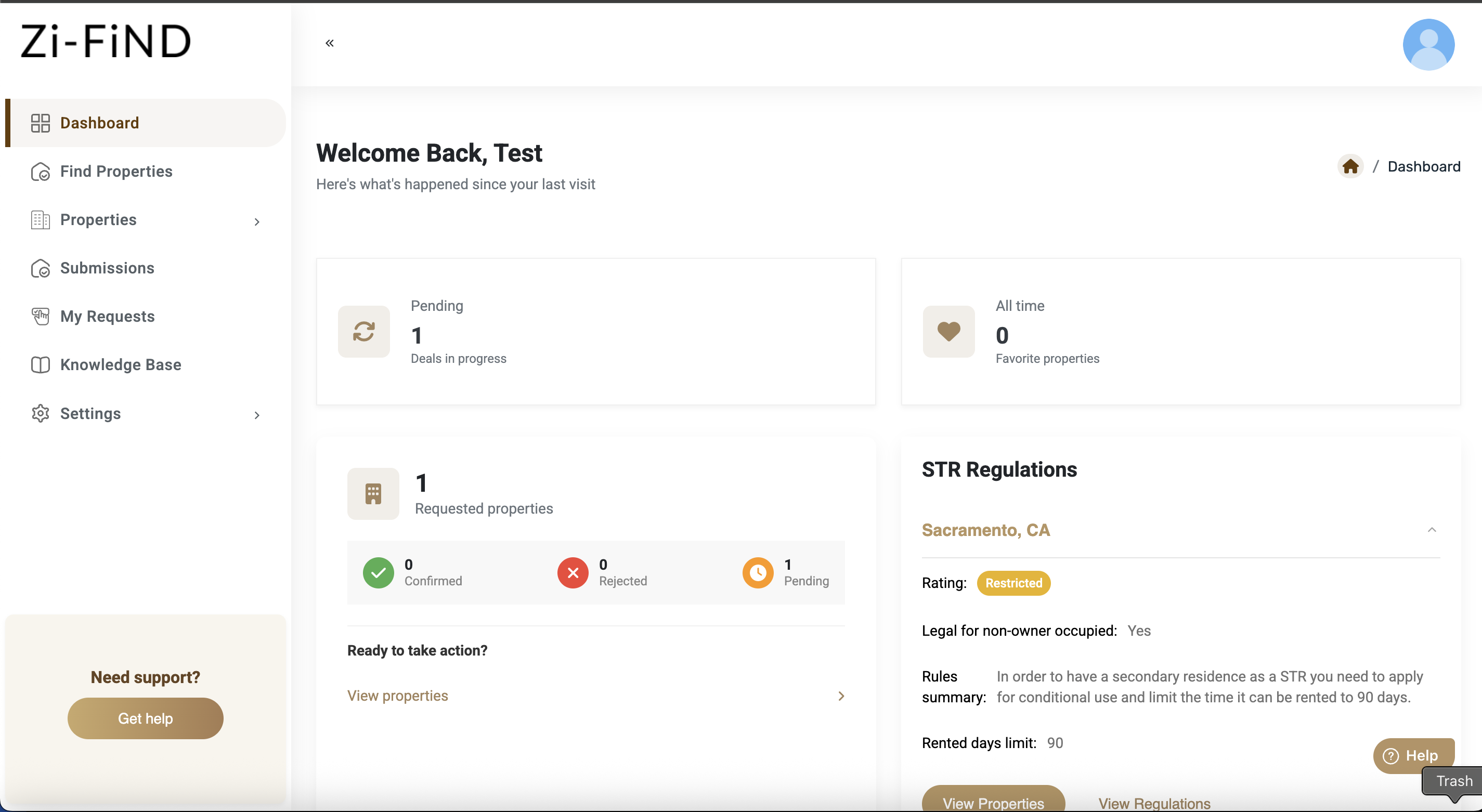
To view more details, click "View Regulations" next to any city.
Regulations can change frequently. While we work to keep our database up to date, we recommend verifying any regulation details with the local municipality before making business decisions.
Was this article helpful?
That’s Great!
Thank you for your feedback
Sorry! We couldn't be helpful
Thank you for your feedback
Feedback sent
We appreciate your effort and will try to fix the article