You can add/change your payment method for your Zi-Find subscription at any time directly from your account settings.
Log in to your Zi-Find account at https://admin.zi-find.com/login
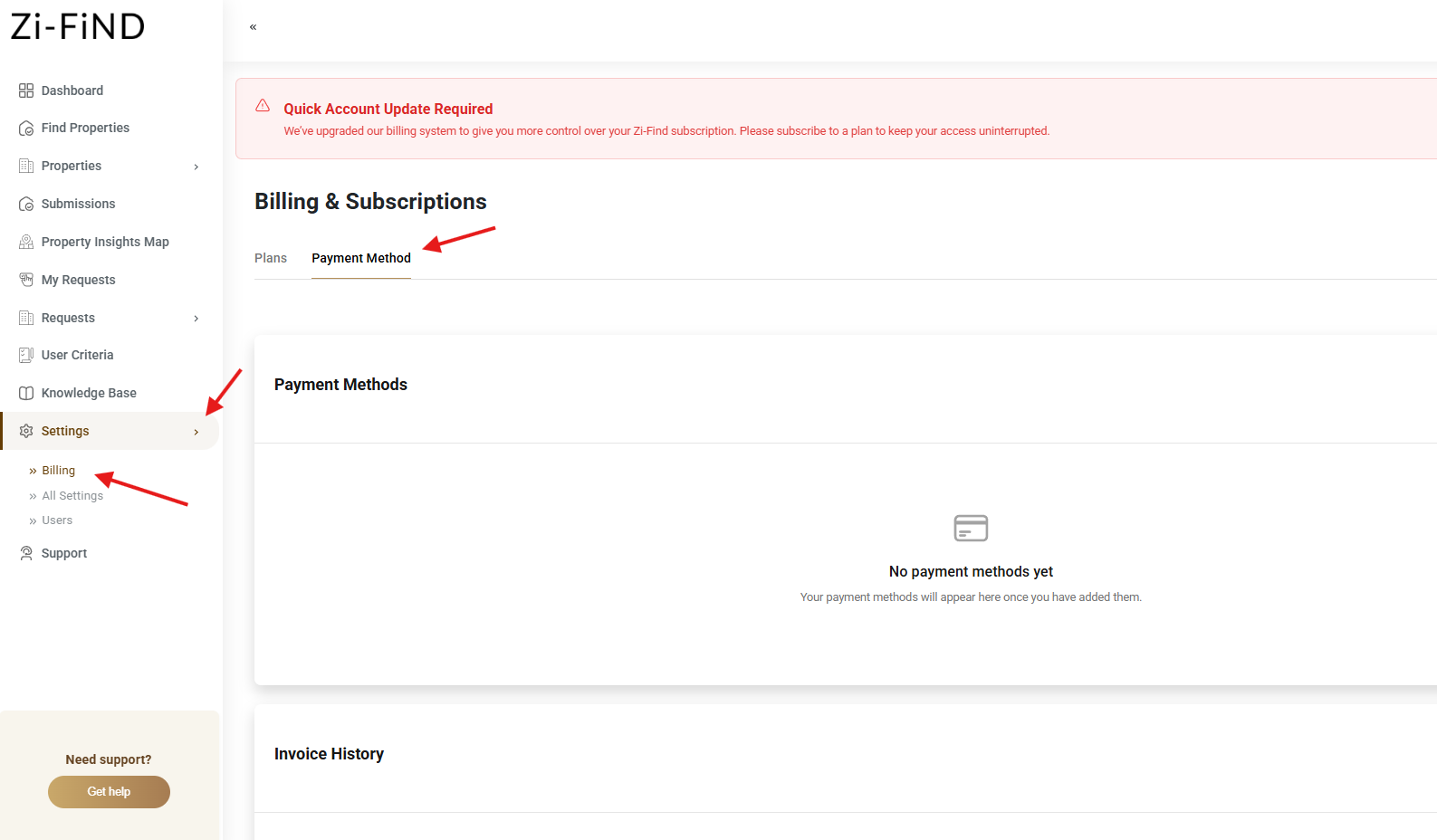
Click on "Settings" in the left sidebar menu.
Click on the "Billing" section.
Click the red "Payment Method" button.
Follow any confirmation prompts to complete.
Was this article helpful?
That’s Great!
Thank you for your feedback
Sorry! We couldn't be helpful
Thank you for your feedback
Feedback sent
We appreciate your effort and will try to fix the article